
Features
Visitor alerts
When a meeting has ended and the visitor does not check out within leverage time, Axix Visitor raises alerts for security and reception.
Late checkout monitoring
Keep overdue visitors visible until checkout is completed.
- Alert list on the Visitor Alert page
- Host email notification
- Security / reception follow-up
- Page auto-refresh about every 30 seconds
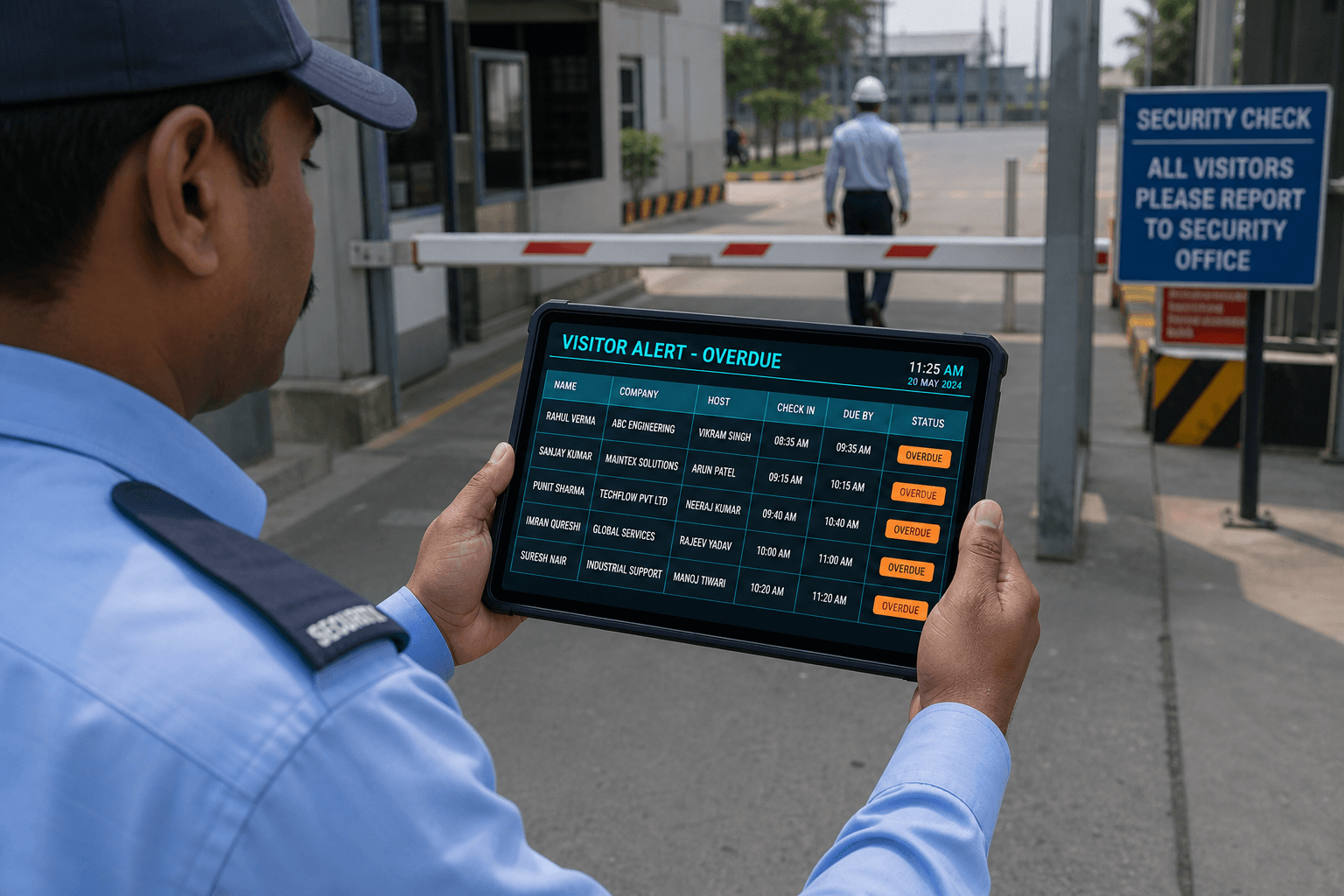
Visitor Alert — overdue checkout
Visitor Alert is the exception list for guests who miss checkout after meeting end and leverage time. When the grace window passes without gate exit, the system raises an alert and can email the host. Security and reception use the page to chase overdue people still on site. Auto-refresh around thirty seconds keeps the list useful during active incidents. Alerts stay tied to leverage minutes configured at enrollment. This feature turns late exits into a visible, closable workflow.

When alerts fire
Alerts fire after the meeting has ended and the visitor misses the leverage checkout window. The system does not wait for end-of-day reconciliation to notice the miss. Host email and the alert list typically update together for the same exception. Clear timing rules reduce debates about whether someone is truly overdue. Enrollment leverage settings determine how strict that window is. Knowing when alerts fire helps sites choose sensible grace minutes.
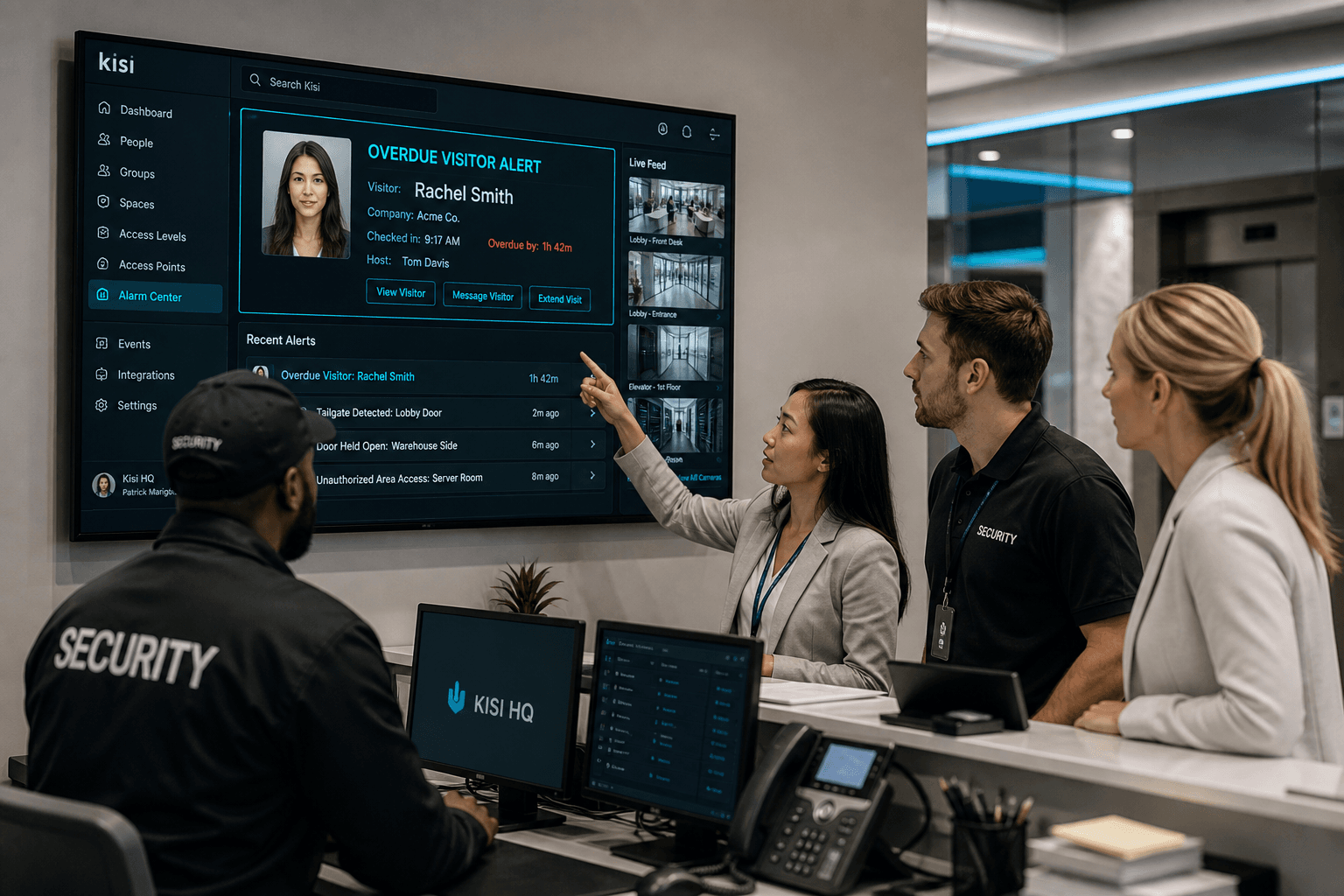
What security sees
Security sees an alert list with enough host context to start follow-up. Email signals to the host run alongside the on-screen list. Reception can join the chase when lobby relationships matter. Page auto-refresh around thirty seconds keeps status current during a busy incident. Staff are not stuck on a stale screenshot from an hour ago. Visibility is the first step toward a clean checkout.

Exception journey
The journey starts when a deadline is missed after meeting end. Visitor Alert and host email create parallel pressure to resolve the visit. Follow-up continues until the guest completes gate checkout. Closing the visit clears the exception from live views. Documented journeys help train new security staff consistently. Exception handling becomes a repeatable process instead of ad hoc phone trees.
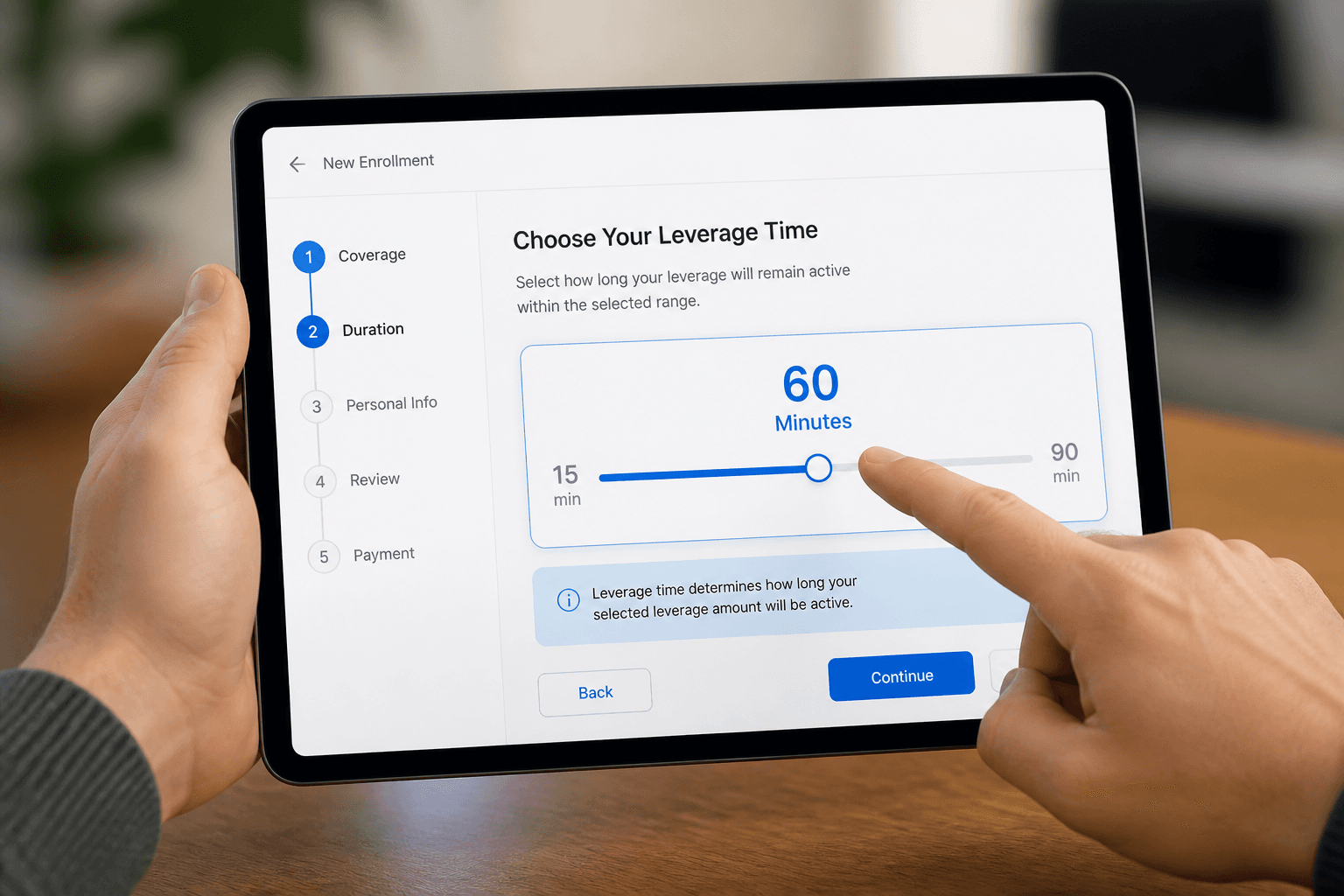
Tied to leverage time
Leverage time is the grace period after meeting end before an alert is raised. Typical ranges run from about fifteen to ninety minutes depending on site policy. Defaults often sit near fifteen minutes for tighter control. Per-visitor settings at enrollment let VIP or contractor visits differ. Understanding leverage is mandatory to interpret why an alert appeared. Alerts without leverage context feel arbitrary; with it they feel fair.
Why Visitor Alert exists
Overdue checkout is a safety and compliance problem, not just a tidy-up task.
Late guests stay visible
The alert page lists visitors who passed leverage time without completing checkout.
Auto refresh for ops floors
Security desks can leave the page open and see new overdue cases appear.
Complements host email
Hosts get mail while security watches the same overdue set on screen.
How teams clear alerts
Practical steps once a visitor shows as overdue.
Contact the host first
Most overdue cases resolve when the host ends the meeting or escorts checkout.
Complete gate checkout
Face or QR exit closes the record and removes the visitor from the alert list.
Escalate blocked patterns
Repeat overdue guests may need BLOCKED status or tighter QR expiry next visit.
Alert tuning with leverage
Visitor Alert quality depends on leverage configuration.
Too short creates noise
Aggressive grace windows flood alerts during normal long meetings.
Too long hides risk
Excessive leverage delays safety follow-up when a guest should already have left.
Next step
See this flow in a live demo
Transform your front desk with secure visitor management.
Register guests, check them in with face or QR, alert hosts by email, and export complete visitor reports.